


ArtCraft AI: 15 Free Adobe Alternatives
ArtCraft AI is a free, open-source creative suite: an AI image and video studio plus 15 Adobe-style Craft apps. AI credit plans cost $10 to $60 a month.
Update, November 3, 2026: the Craft lineup has grown from seven apps to fifteen. New since our first review: FigCraft, TextureCraft, WordCraft, SoundCraft, DeckCraft, CADCraft, GridCraft and Craft Anything. The GitHub repo now has about 38,400 stars, up from about 14,400 on October 11. We re-checked the pricing page today: plan prices and the 20% sale are unchanged.
ArtCraft (getartcraft.com; artcraft.ai redirects there) is made by the Storyteller.ai team. It is not ArtCraft Lighting, which is a different company that makes light fixtures. This page covers the AI studio and the free “Craft” apps that went viral in early October 2026 as open-source stand-ins for Photoshop, Premiere, Lightroom and other Adobe tools. There were seven at launch and fifteen by November 3, 2026.
What is ArtCraft AI?
ArtCraft started as a desktop and web studio for controllable AI images and video. Instead of typing a prompt and hoping, you block out the shot yourself on a 2D or 3D canvas, then let a model such as Seedance 2.5 or Nano Banana 2 render it. The code is on GitHub under the Apache 2.0 licence, and the repo had about 38,400 stars when we checked on November 3, 2026.
The news in October was the Craft apps: native apps written in Rust (seven at launch, fifteen now) that copy the layout and shortcuts of familiar Adobe software. They are free and open source, and most of them are labelled early alpha or in development.
The Craft apps: free Adobe alternatives
| App | What it replaces | Status on getartcraft.com |
|---|---|---|
| PhotoCraft | Image editing (Photoshop-style layers, masks, adjustment layers, type, brushes) | Early alpha |
| VectorCraft | Vector illustration (Illustrator-style pen and panels), also in the browser | In development |
| FilmCraft | Video editing (Premiere-style monitors, timeline and trim modes) | In development |
| LightCraft | Photo library and raw developer (Lightroom-style), no account or cloud | In development |
| PdfCraft | PDF reading, merging, splitting and securing (Acrobat-style) | Early alpha |
| EffectCraft | Motion graphics and VFX (After Effects-style), 259 effects | In development |
| DesignCraft | Page layout and publishing (InDesign-style) | In development |
Added since October 11
| App | Category |
|---|---|
| FigCraft | Interface design |
| TextureCraft | 3D texture painting |
| WordCraft | Word processing |
| SoundCraft | Audio |
| DeckCraft | Presentations |
| CADCraft | CAD |
| GridCraft | Spreadsheets |
| Craft Anything | Listed on the apps page; no category given |
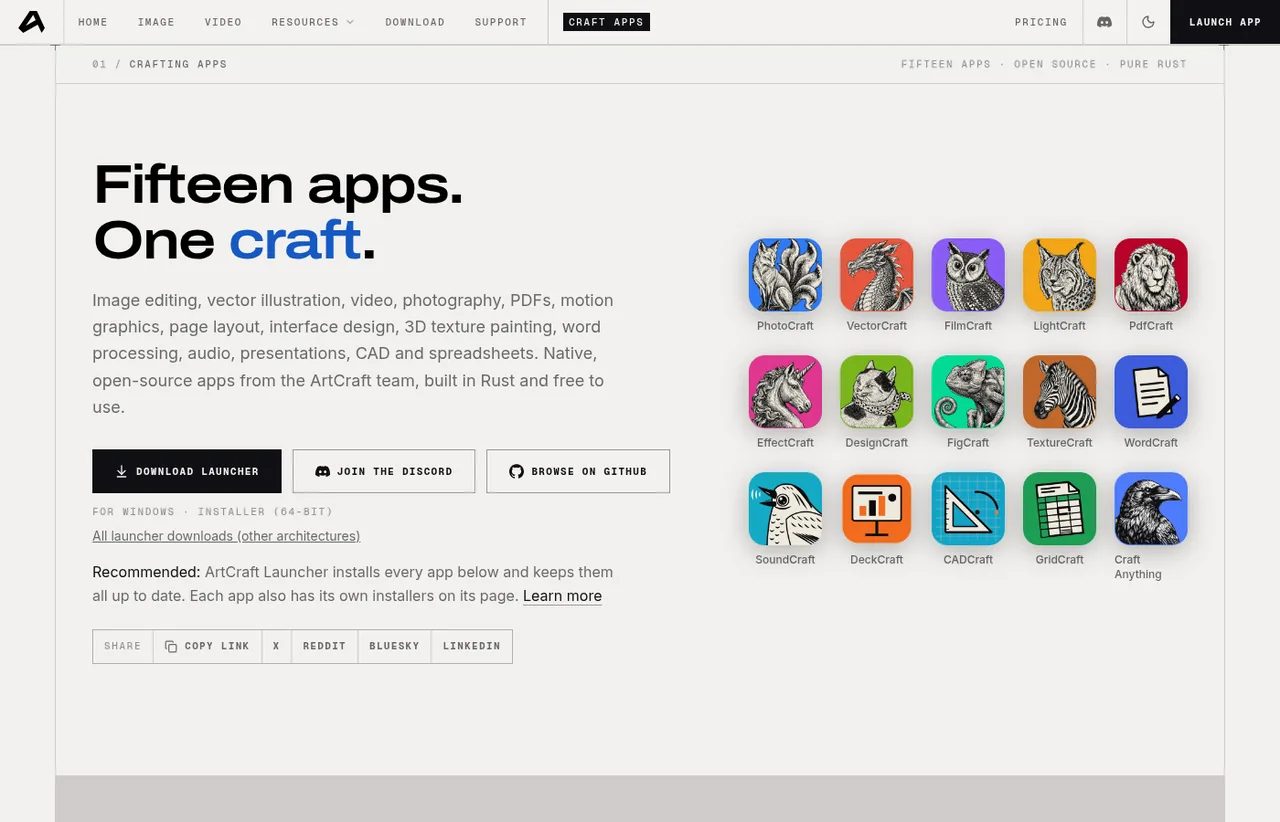
The ArtCraft Launcher installs every app and keeps them updated, and each app also has its own installers. On November 3 the apps page offered a 64-bit Windows launcher, with downloads for other architectures listed separately. Treat them as previews: they are useful for trying ideas and for simple jobs, but they are not yet a drop-in replacement for Creative Cloud in paid client work.
Key features of the AI studio
- Image to Location: place virtual actors into a real environment and shoot several angles of the same room.
- 2D and 3D compositing: layer images, backdrops and props, with real depth in 3D scenes.
- Image to 3D mesh and character posing: turn images into 3D objects and pose characters before you render.
- Background removal and inpainting: cut out assets and repaint only the part you select.
- Many models in one place: Seedance, Kling, Nano Banana and GPT-Image are all listed in the plans.
- Desktop or browser: downloads for Windows 10+ and macOS 12+, plus a web app at app.getartcraft.com.
ArtCraft Pricing (2026)
ArtCraft itself is free, and the official pricing page says it can be used without a subscription if you bring your own compute or third-party model subscriptions. The paid plans sell AI credits for the hosted models. On October 11, 2026, a limited-time 20% discount was applied to every plan.
| Plan | Monthly billing | Yearly billing | Credits per month |
|---|---|---|---|
| Free | $0 | $0 | Use your own compute or model subscriptions |
| Basic | $10/mo (normally $13) | $8/mo, $96 a year | 1,000 (about 250 Nano Banana images or 63 seconds of Seedance 2.0 video) |
| Pro | $35/mo (normally $44) | $28/mo, $336 a year | 3,750 |
| Max | $60/mo (normally $75) | $48/mo, $576 a year | 6,600 |
| Enterprise | Custom | Custom | Custom credits, secure models, support SLAs |
One-time credit packs are also sold and never expire, plans can be cancelled at any time, and credits are refunded if a generation fails.
Is ArtCraft free? Yes. The studio and all fifteen Craft apps are free and open source. You pay only if you want ArtCraft’s hosted AI credits instead of your own.
ArtCraft vs Adobe Creative Cloud
The appeal is simple: no rent. Adobe’s apps are mature and industry standard, while the Craft apps are weeks old and still missing features. ArtCraft makes the most sense for hobbyists, students and indie creators who want Adobe-like tools without a subscription and are happy to report bugs. If you deliver files to clients who expect PSD or Premiere projects, keep Adobe for now and test the Craft apps on the side.
Limitations
- Alpha software: most Craft apps are in development, so expect bugs and missing tools.
- Launcher is Mac-first: the all-in-one launcher is a macOS disk image; check each app page for other platforms.
- AI costs extra: hosted image and video generation needs credits or your own model accounts.
- Name confusion: search results mix it up with ArtCraft Lighting, an unrelated company.
ArtCraft alternatives
- Krea AI: real-time AI image and video generation in the browser.
- Higgsfield AI: an all-in-one AI video and image platform with many models.
- OpenArt: AI image and video creation with character consistency tools.
- Canva AI: easy design with built-in AI, for non-designers.
- Best AI photo editor apps: our roundup of AI photo editors.
Our Expert Rating
Pricing
Model: Freemium
Free and open source: Apache 2.0, no subscription.
Real control: 2D and 3D scene blocking before rendering.
Adobe-style apps: Seven free Craft apps in Rust.
Bring your own: Use your own compute or model plans.
Early alpha: Most Craft apps are still in development.
Credits for AI: Hosted generation is paid.
Lots to install: the launcher manages fifteen separate apps.
Name confusion: Often mixed up with ArtCraft Lighting.
-
Image to Location: Put actors into real environments.
-
3D compositing: Scenes with real depth and props.
-
Character posing: Pose figures before you render.
-
Craft apps: PhotoCraft, VectorCraft, FilmCraft, LightCraft and more.
-
Model access: Seedance, Kling, Nano Banana and GPT-Image.
-
Open source: Full code on GitHub under Apache 2.0.
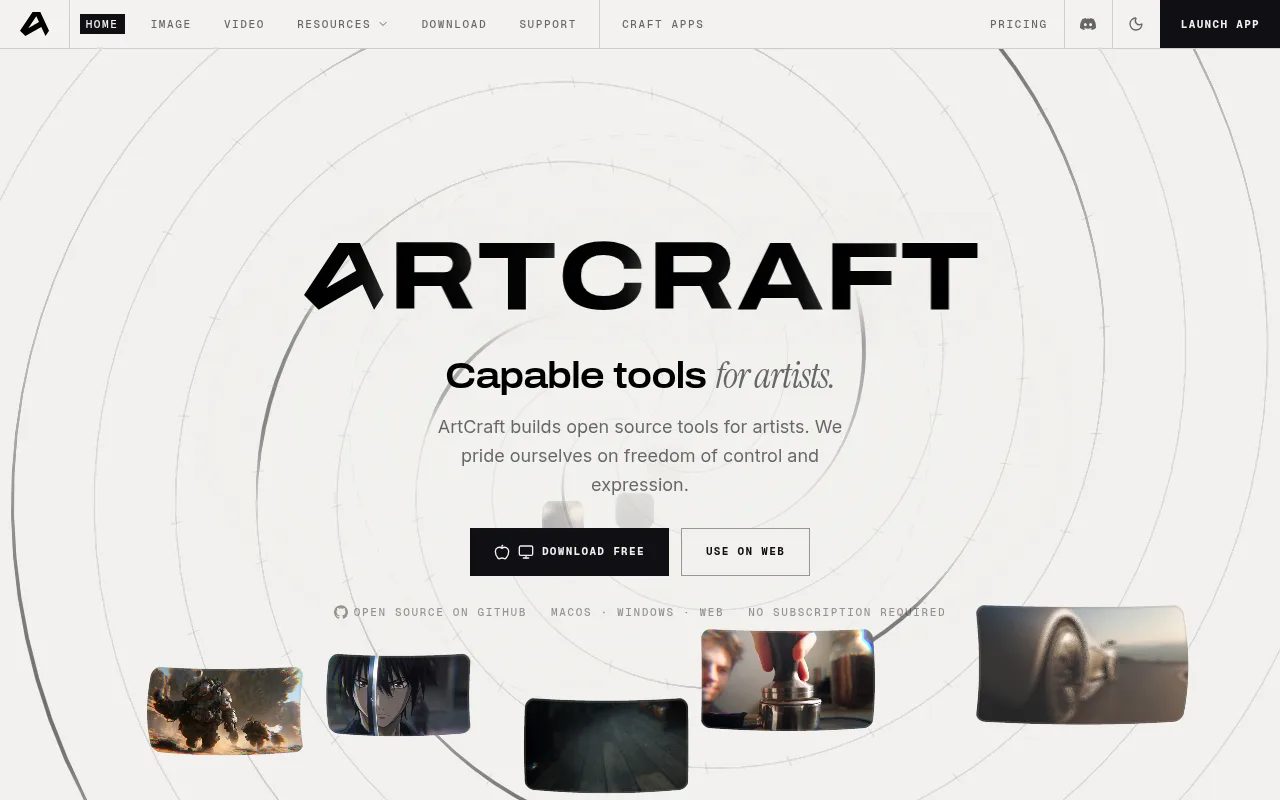 ArtCraft homepage: capable tools for artists, open source on macOS, Windows and web
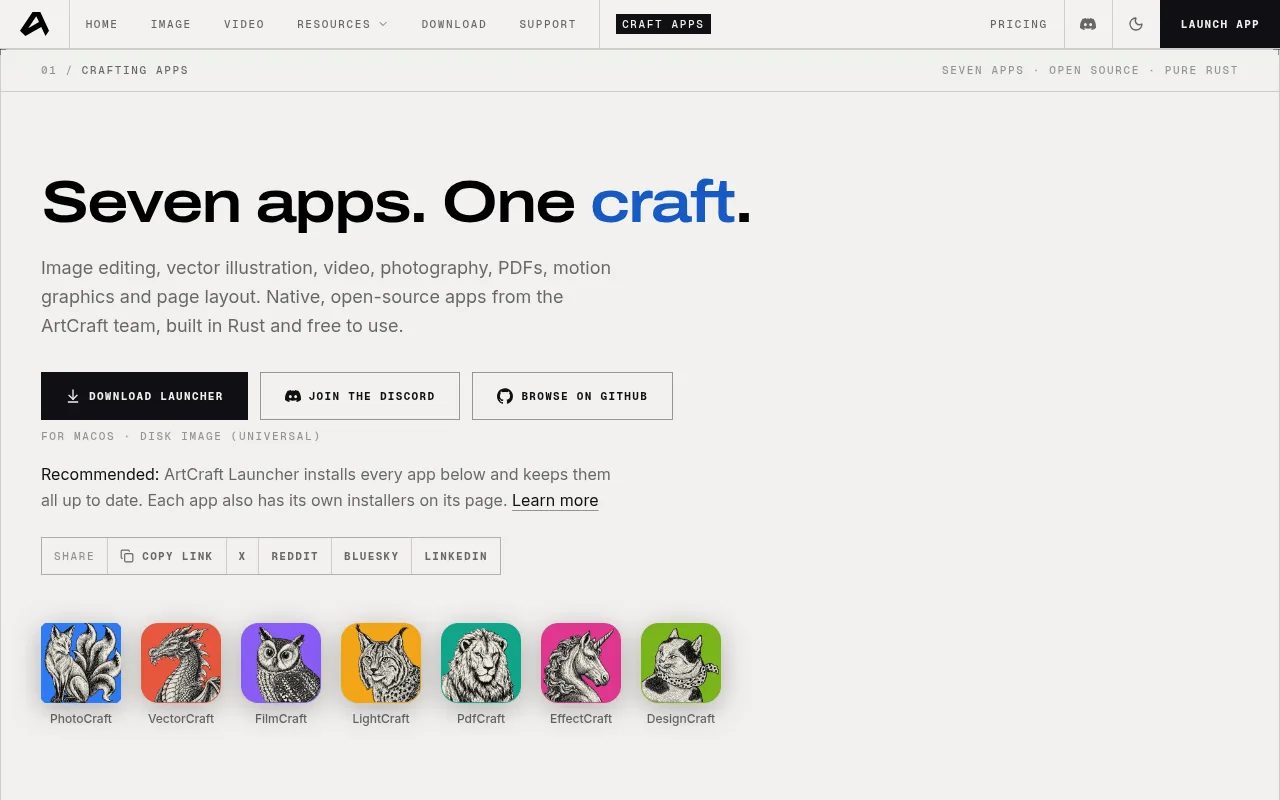 ArtCraft Craft apps page showing PhotoCraft, VectorCraft, FilmCraft, LightCraft, PdfCraft, EffectCraft and DesignCraft
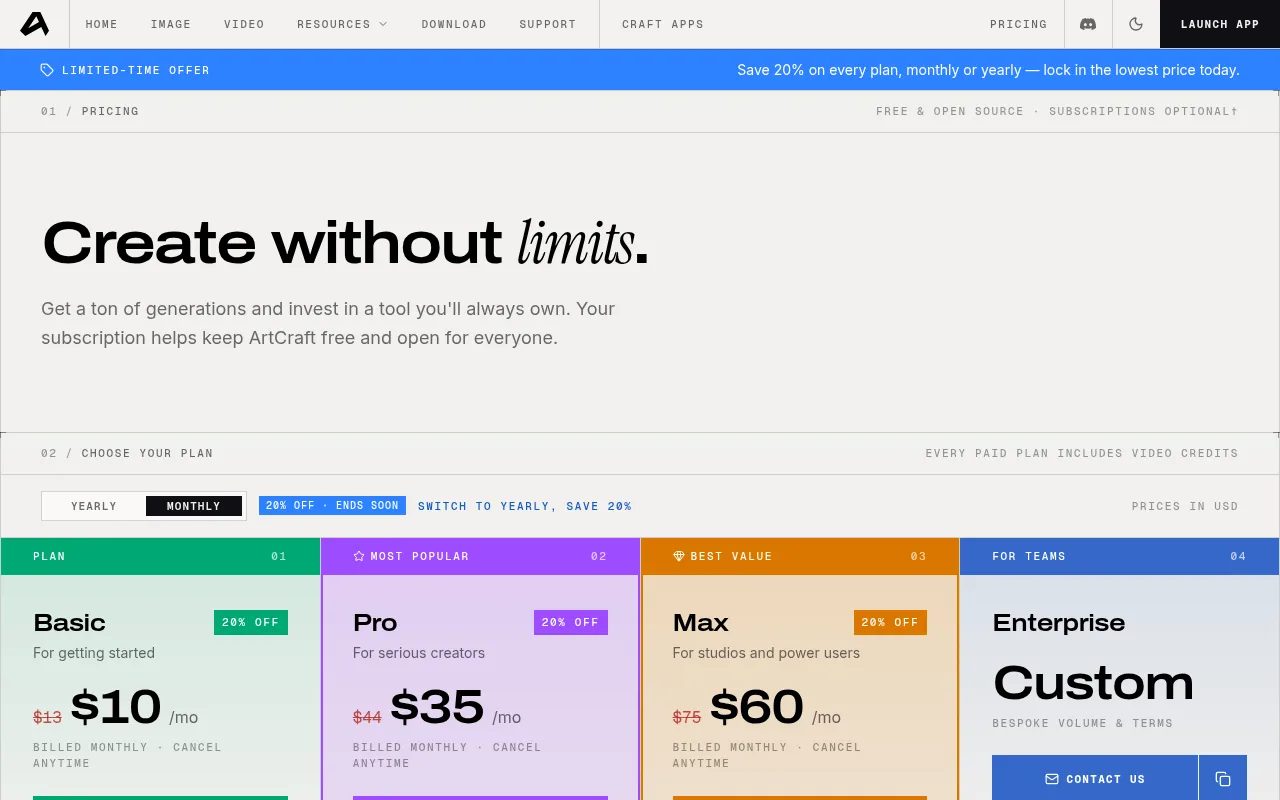 ArtCraft pricing page with Basic, Pro, Max and Enterprise plans on monthly billing
Frequently Asked Questions
-
Is ArtCraft free?
Yes. ArtCraft and its fifteen Craft apps are free and open source under Apache 2.0. Paid plans only add hosted AI credits, and you can bring your own compute or model subscriptions instead. -
How much does ArtCraft cost?
The app is free. AI credit plans are Basic $10, Pro $35 and Max $60 a month, or $8, $28 and $48 a month billed yearly, with a 20% sale still applied on November 3, 2026. Enterprise is custom. -
Is ArtCraft a real Photoshop alternative?
PhotoCraft copies Photoshop’s layers, masks and tools, but it is early alpha. It is fine for testing and simple edits; keep Photoshop for professional client work for now. -
Which Craft apps does ArtCraft offer?
Fifteen: PhotoCraft, VectorCraft, FilmCraft, LightCraft, PdfCraft, EffectCraft, DesignCraft, FigCraft, TextureCraft, WordCraft, SoundCraft, DeckCraft, CADCraft, GridCraft and Craft Anything. -
Is ArtCraft AI the same as ArtCraft Lighting?
No. ArtCraft AI is the open-source creative software from the Storyteller.ai team at getartcraft.com. ArtCraft Lighting is a separate company that makes light fixtures.
TechPilot’s Verdict on ArtCraft
ArtCraft is one of the most interesting free creative projects of 2026: a controllable AI studio plus a set of open-source apps that feel like Adobe’s. The price is hard to beat, because the software is free and the credits are optional.
It is still early. Use it to experiment, block out AI shots and do light editing, and keep your paid tools for deadline work until the Craft apps leave alpha.